Additional Android apps are useful for many purposes. Because all the useful features are not available on the phone by default. So, installing some useful apps can make the Android phone experience little better than before.
Nowadays, many Android apps are available for customization, reading, widgets, wallpaper, browser and other tools. But all apps are not useful for everyone. Some apps are only for fun and some apps are really useful in daily usage.
So, in this article, we are going to see some amazing Android apps to install on your Android device.
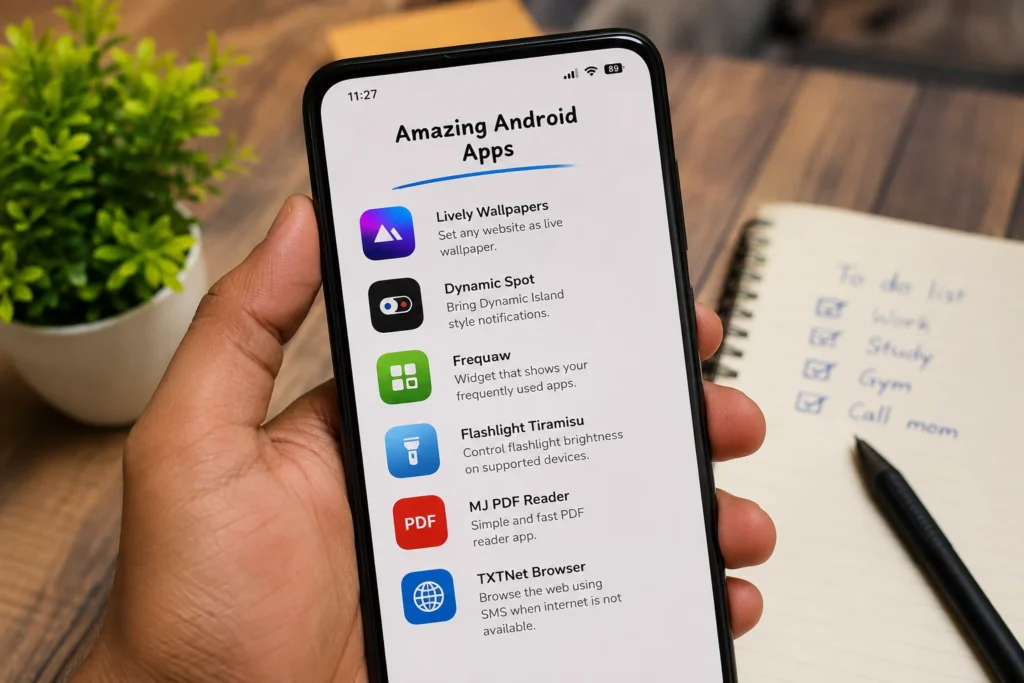
Android Apps
Android apps can help to add extra features on the phone. Some apps are used for changing the phone look. Some apps are used for productivity and some apps are used for simple tools.
Before installing any app, need to check whether the app is useful or not. Also, check the app permission. Because some apps may ask unwanted permission from the phone.
Now, next see some useful Android apps.
Lively Wallpapers
Lively Wallpapers is a useful app for Android users who like live wallpapers. This app allows you to set any website as live wallpaper on the phone screen.
It is not like normal wallpaper app. Because, you can set web pages, moving pages, and some interactive pages as wallpaper. So, the home screen can look different from normal static wallpaper.
For example, you can use moving web pages or creative web wallpapers. It gives a different look to the phone. Also, some wallpapers may be interactable based on the website.
Though, live wallpaper may use more battery than normal wallpaper. So, use it if your phone has good battery backup. Otherwise, use normal wallpaper for better battery life. You can check the app from Google Play here: Lively Wallpapers-With Website.
Dynamic Spot
Dynamic Spot is a useful app for Android users who like Dynamic Island style notification.
Apple introduced Dynamic Island feature on iPhone models. After that, many Android users also wanted the same type of notification look on their phones. Dynamic Spot can bring similar notification popup on Android. You can check Dynamic Spot from Google Play before installing.
After giving needed permissions, the app can show music controls, notifications, charging status and other small alerts near the camera cutout area.
This app is more suitable for phones that have punch hole camera. But the setup may be different based on your phone model.
Also, don’t give all permission blindly. Give only the permission needed for the app to work.
Frequaw
Frequaw is a widget app for showing frequently used apps on the home screen.
Many Android users install many apps. After that, finding the daily using apps becomes little difficult. So, Frequaw can help by showing the apps that you use more often.
It collects app usage details and then shows the frequently used apps in the widget. Because of this, you don’t need to arrange the app icons manually every time.
Also, the widget can be customized. You can hide some apps, pin apps and change the widget look based on your home screen style.
This is a simple app, but useful for people who want clean home screen. Frequaw is also available on Google Play, so you can check the app details there.
Flashlight Tiramisu
Flashlight is one of the most useful feature on any phone. But sometimes the flashlight brightness is too high.
Flashlight Tiramisu helps to control the flashlight brightness on supported Android phones. If the phone supports flashlight brightness control, this app can adjust the brightness using slider.
For example, when you are in a dark room, full brightness may disturb your eyes. In that time, low brightness flashlight is better.
But this app may not work on all phones. It mainly works on some Android 13 and newer supported devices. So, install and check whether your phone supports it or not.
MJ PDF Reader
MJ PDF Reader is a simple PDF reader app.
Nowadays, many PDF apps are heavy and asking account, subscription and many extra options. But many users only need to open and read PDF files.
In that case, MJ PDF Reader is useful. It is simple and easy to use. You can open PDF files without too much extra setup.
This app is useful for students, office users and normal users who read PDF files on Android phone.
TXTNet Browser
TXTNet Browser is not a normal Android browser.
Normal browsers need internet connection to open websites. But TXTNet Browser works in a different way. It can use SMS based method to get text from websites.
It will not load websites like Chrome or other browsers. Also, it will not load images properly like normal internet. Mostly, it is useful for text based browsing.
This app is not needed for everyone. But it can be useful in some special cases, like poor internet area or when normal data connection is not available.
Before Installing These Apps
Before installing any Android app, check the app source. If the app is available on Play Store, install from there. If it is not available on Play Store, then download only from trusted source.
Also, check app permissions. Some apps may ask notification access, accessibility access or usage access. Give those permissions only if the app really needs it.
Don’t install many apps just for testing. Because too many apps can slow down the phone and also use storage.
Final Words
Android apps can make the phone more useful. But all apps are not needed for everyone.
If you like customization, Lively Wallpapers and Dynamic Spot can be useful. If you want better home screen setup, Frequaw can help. If you need small tools, Flashlight Tiramisu and MJ PDF Reader are useful.
So, install apps based on your usage. Don’t fill the phone with unwanted apps. Useful apps can improve the Android experience, but unwanted apps can make the phone slow.